Sell faster. Know exactly
what's on your shelves.
QS Prime POS runs your till. QS Prime Inventory Manager keeps your stock in order. Both run on your own Mac or Windows PC, keep working when the internet doesn't, and price everything in cedis.

QS Prime POS
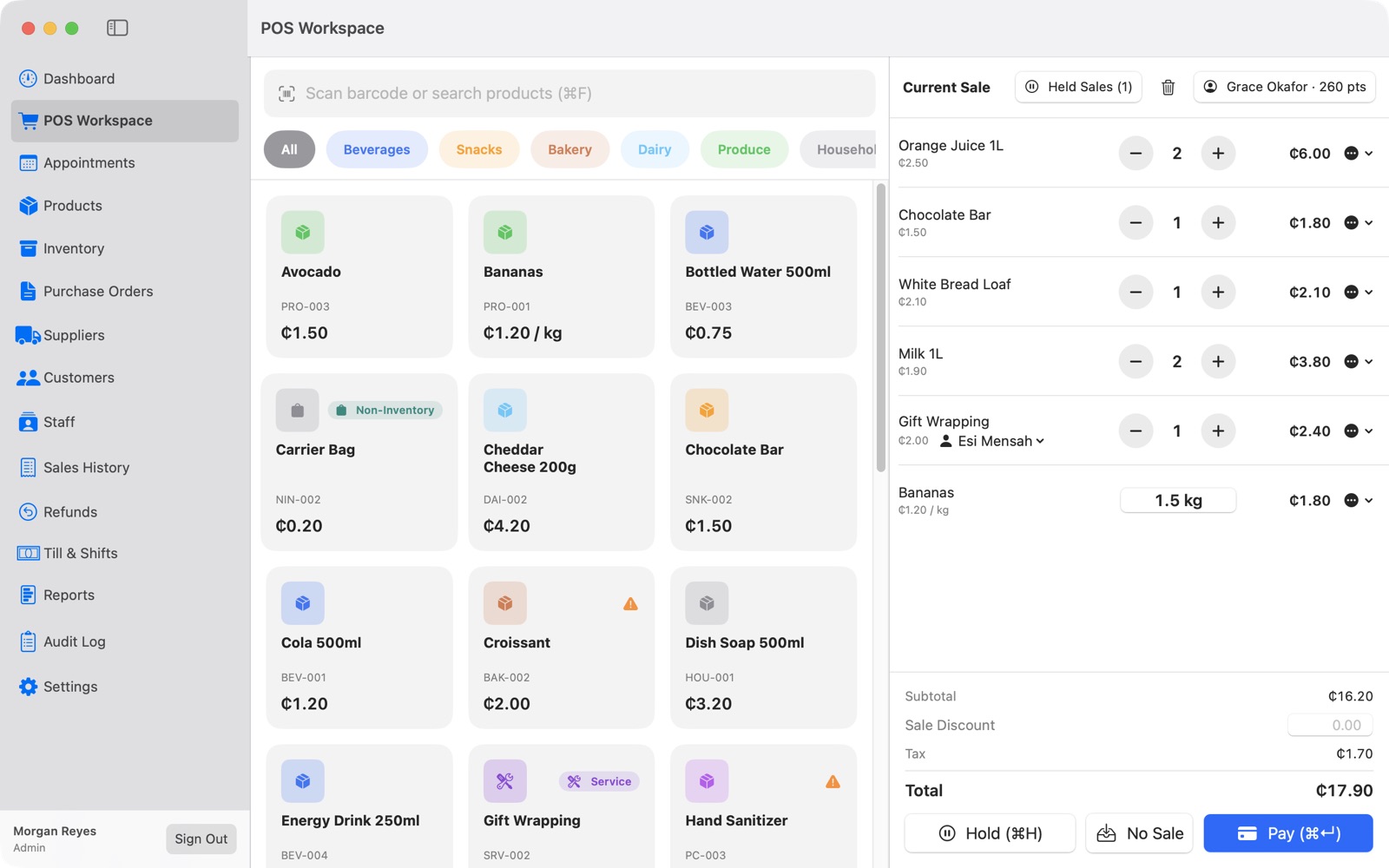
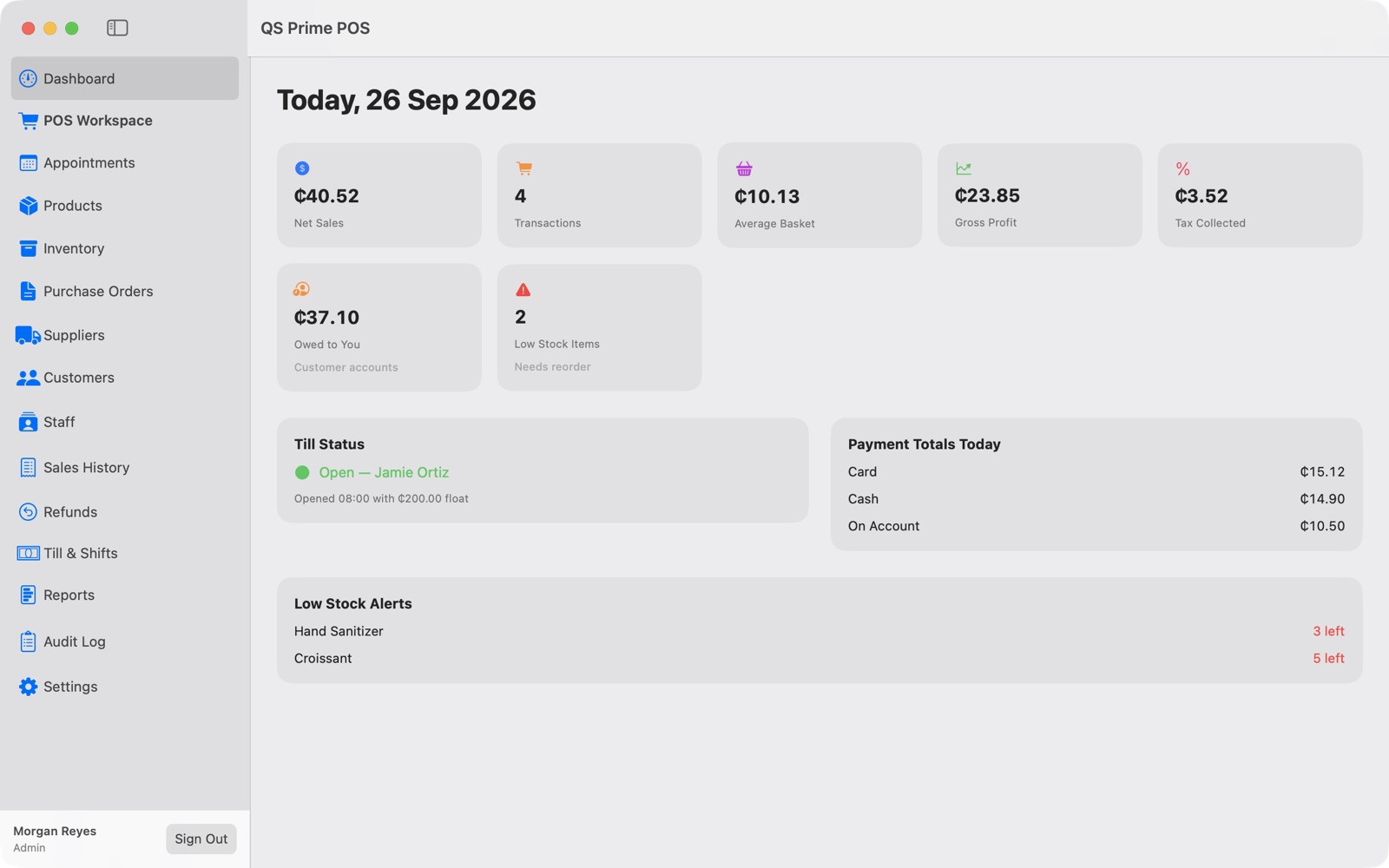
A complete till for shops, supermarkets, pharmacies and service businesses. Ring up sales in seconds, close the day with a clear count, and see what you're actually making.
- Fast checkout. Scan barcodes or tap products, sell by weight, hold and recall sales, split payments across cash, card and mobile money.
- Till and shifts. Open and close the till, count cash, and get an end-of-day report with any shortfall shown.
- Products, stock and purchase orders. Inventory items, non-inventory items and services, with stock updated on every sale and delivery.
- Customers. Loyalty points, customer accounts and receipts sent by email.
- Staff and services. Appointments, and commission tracked per staff member.
- Manager approvals. Discounts, price changes, voids and No Sale can require an admin PIN, and every one is recorded in the Audit Log.
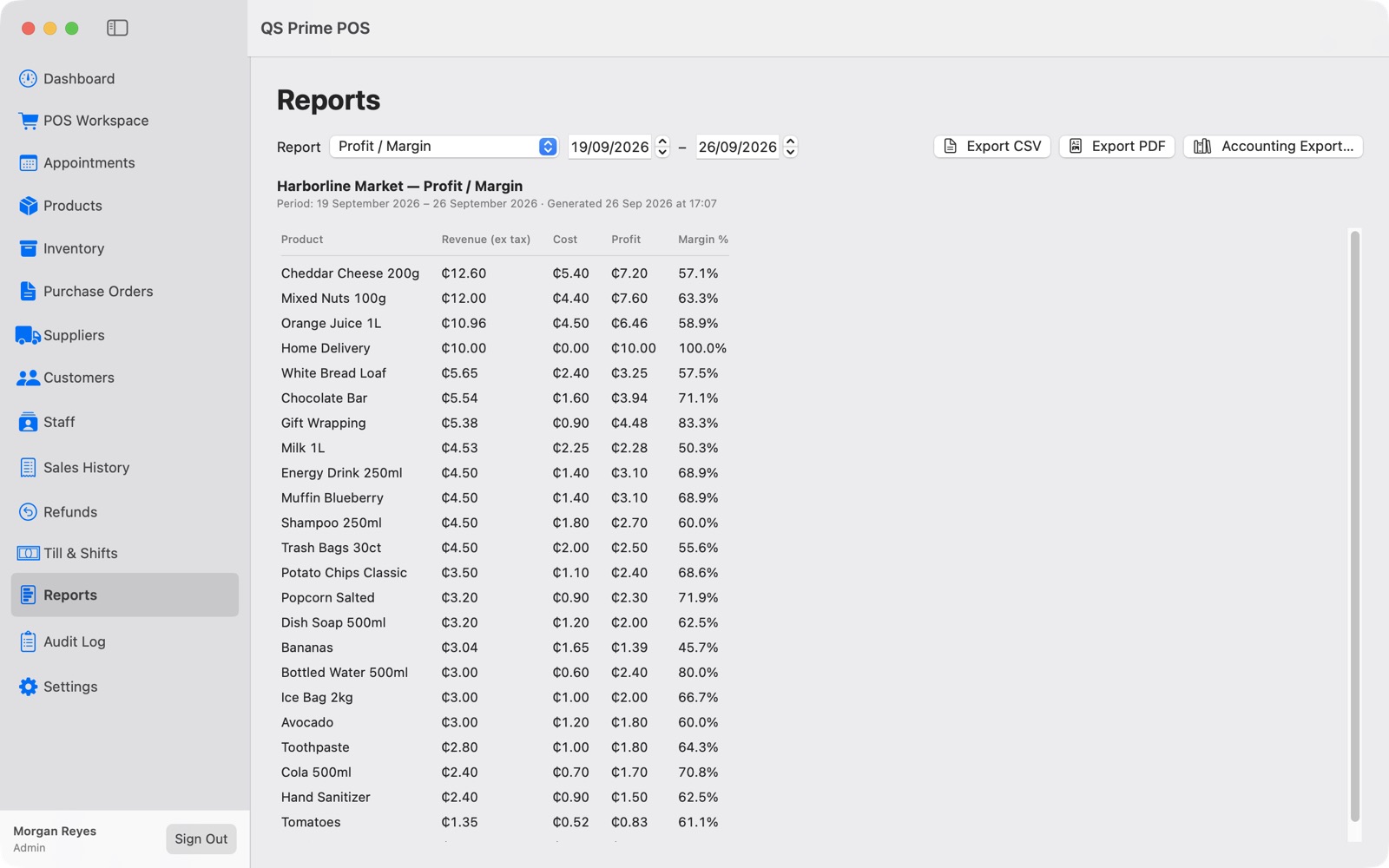
- Reports. Profit and margin, tax, end of day, purchases and receivables, with export to Excel, PDF or your accountant.
- Your brand on receipts. Works with standard receipt printers, cash drawers and barcode scanners.

QS Prime Inventory Manager
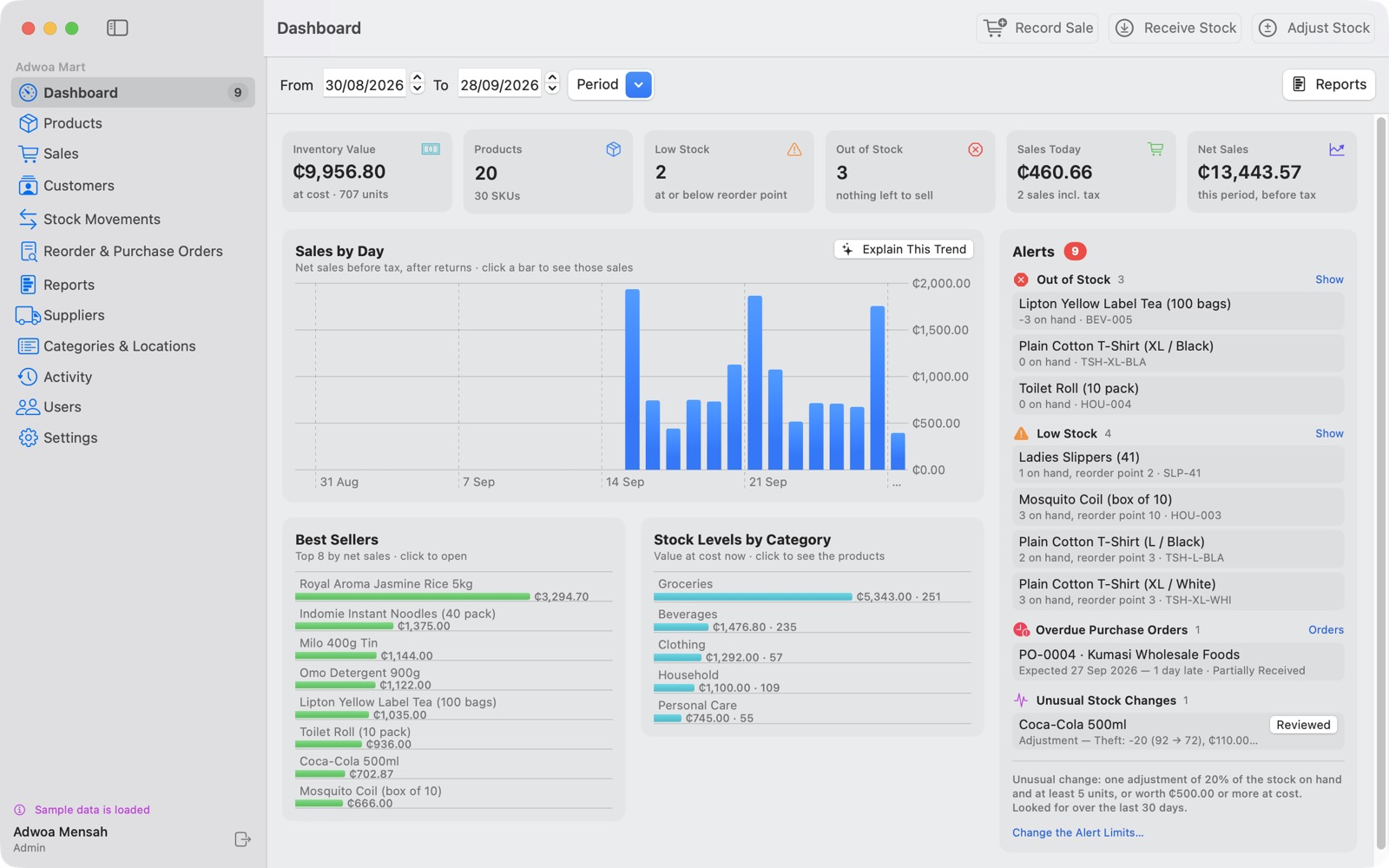
For businesses whose real headache is stock: warehouses, wholesalers, boutiques and shops with many product lines. Know what you have, what's running low and what to order next.
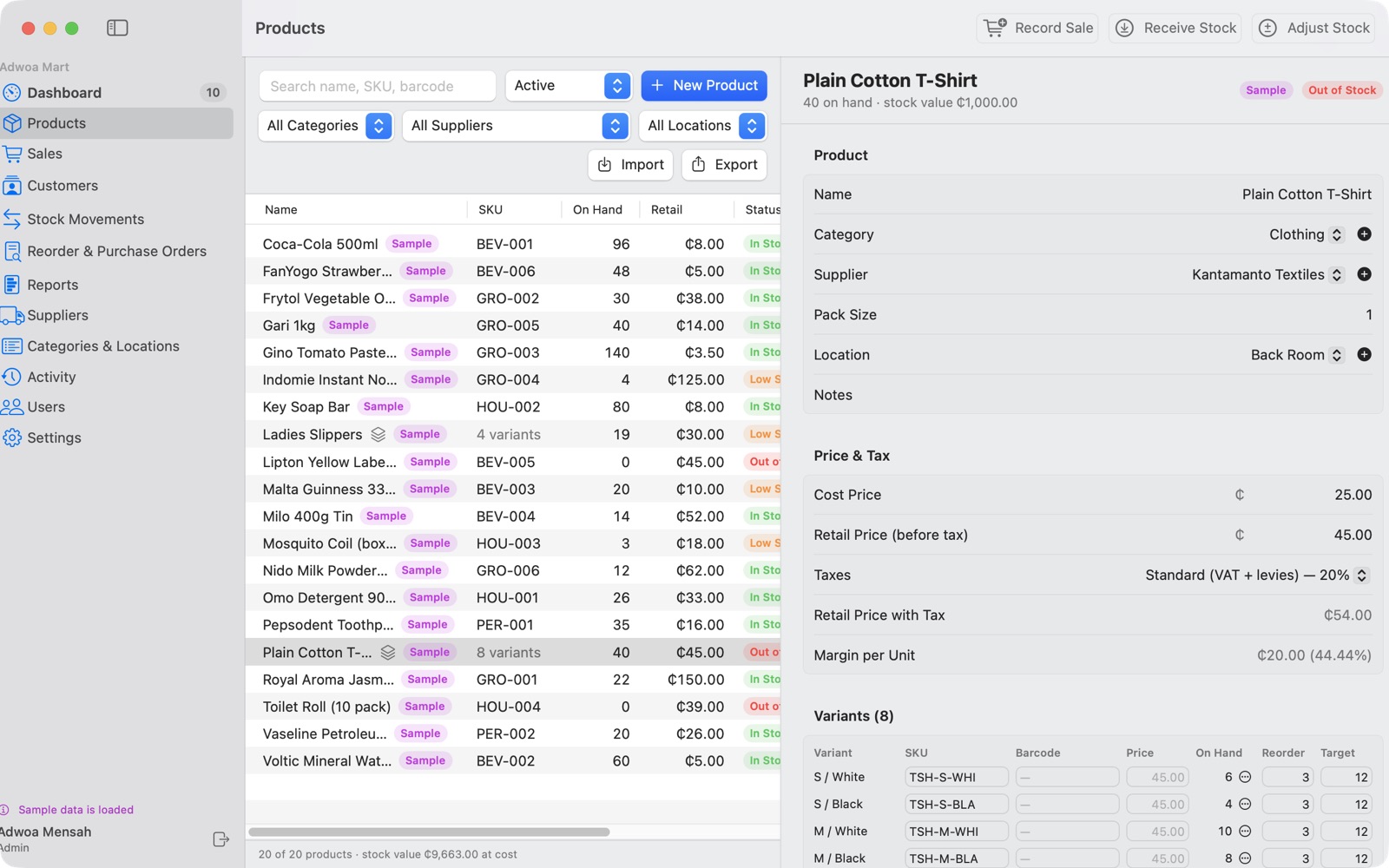
- Products with sizes and colours. One product, every variant, each with its own SKU and stock level.
- Receive and adjust stock. Every movement is recorded with who, when and why.
- Sales and returns. Record sales with receipts, handle returns, and track customers.
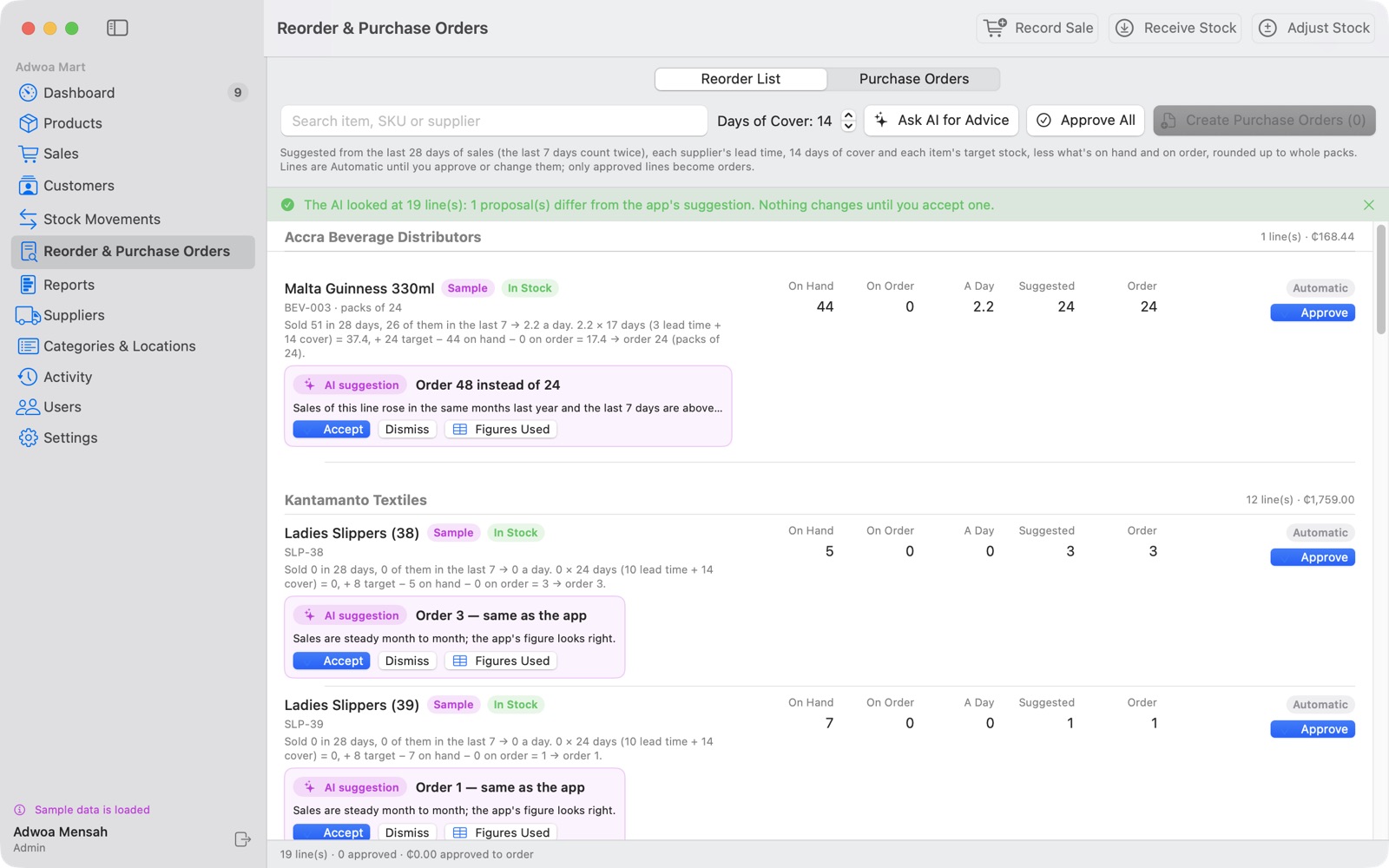
- Reorder suggestions. Worked out from your real sales and each supplier's lead time, then turned into purchase orders in one click. Partial deliveries are handled.
- Dashboard and alerts. Low stock, out of stock, overdue orders and unusual stock changes flagged before they cost you.
- Reports. Stock valuation, movement, sales and reorder reports as PDF or Excel.
- Optional AI assistant. A second opinion on reorders and sales trends. Nothing changes until you accept it, and it's off unless you switch it on.
- Excel import and export, a training store, users and an activity log.
Built for how businesses here actually run
Both apps share the same foundations.
Works without internet
Everything runs on your own computer. A dropped connection or a power cut to the router doesn't stop a sale.
Your data stays yours
Your records live on your own computer, not on someone else's server.
One-file backups
An automatic backup at the end of the day, or whenever you like. Restore it onto a new computer and carry on.
Cedis and GRA taxes
Prices in cedis, with tax groups set up for Ghana. Tax-inclusive or tax-exclusive pricing.
Roles and permissions
Separate admin and staff accounts, so everyone sees only what they need to.
Excel in, Excel out
Bring your product list in from a spreadsheet and export any report to open in Excel.
Download
Every download is the full app with a 15-day free trial. No card, no sign-up. When you're ready, a license key unlocks it permanently.
QS Prime POS
Version 2.4.0QS Prime Inventory Manager
Version 1.5.0Opening the app the first time on a Mac
macOS may say the app "can't be opened" because it wasn't downloaded from the App Store. To open it:
- Open the DMG and drag the app into Applications.
- Double-click the app once and close the warning.
- Go to System Settings › Privacy & Security, scroll down, and click Open Anyway next to the app's name.
You only need to do this once.
Licensing
Buy once per business. No subscription for the software.
Try it free
Every feature is unlocked for 15 days. Set up your products, run real sales and see if it fits.
Get your license key
Email sales@qsprimepos.com with your business name. We'll send a key issued to your business.
Activate
Paste the key into the License section of Settings. Everything you entered during the trial stays exactly where it is.
Each product has its own license: a QS Prime POS key doesn't unlock the Inventory Manager, and the reverse is also true.
Get in touch
Questions before you buy, help after you do.
Sales and licensing
Pricing, license keys, Windows installers, and setting up for your business.
sales@qsprimepos.comSupport
Stuck on something? Most answers are in the user manual. If not, email us with a screenshot.
support@qsprimepos.com